

A Smarter, Faster, More
Connected Way to Run
Your Service Business.
Jobiq360 gives service companies everything they need to manage customers,
schedule jobs, dispatch technicians, get paid faster, and deliver a seamless customer
experience. All in one beautifully integrated platform.



Verified Technicians
Trusted & Trained Experts
Instant Booking
Book in Seconds
Real-Time Tracking
Track Live Status
In-App Chat Support
Chat Instantly Inside

About Jobiq360
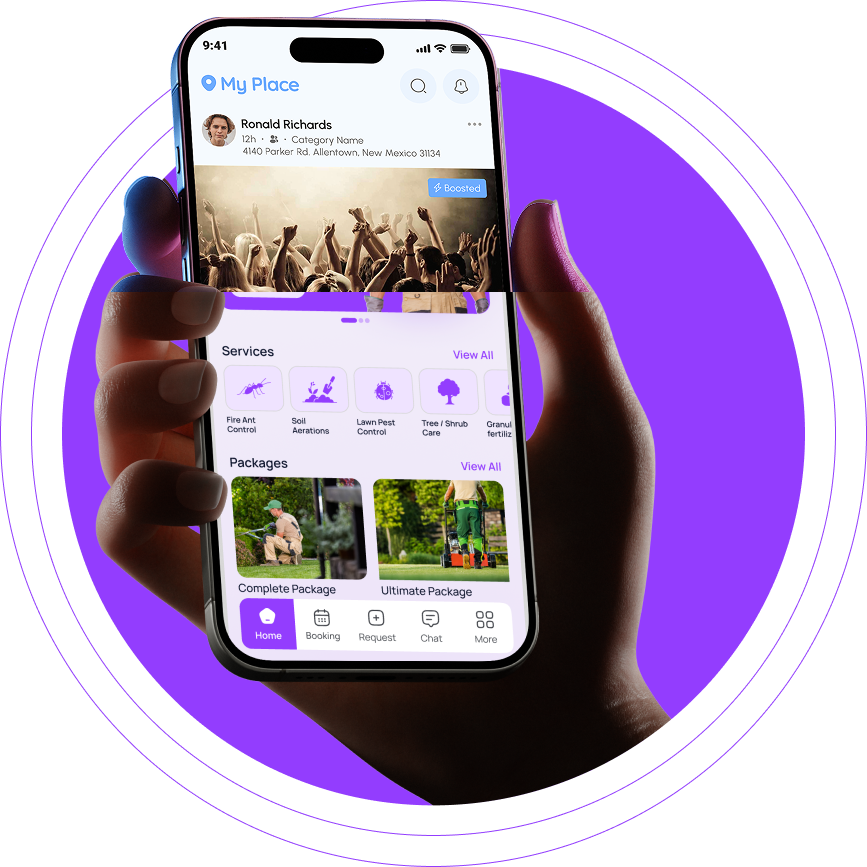
Jobiq360 is an end-to-end, white-label Field Service Management (FSM) platform designed to streamline operations for service businesses (like HVAC, lawn care, etc.) by integrating scheduling, dispatch, invoicing, time tracking, and customer engagement into a single, scalable SaaS solution.

Core Values
Empowerment

Put the business owner in control.
Simplicity

Easy to use, easy to grow with.
Community

Connecting providers with customers and each other.
Success

Success Every feature is designed to boost growth and profits.
Customization
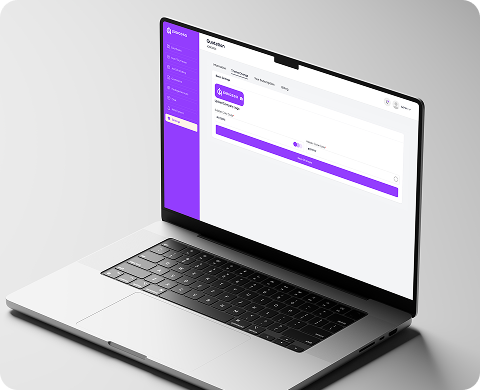
White label flexibility to match every brand.
Insight

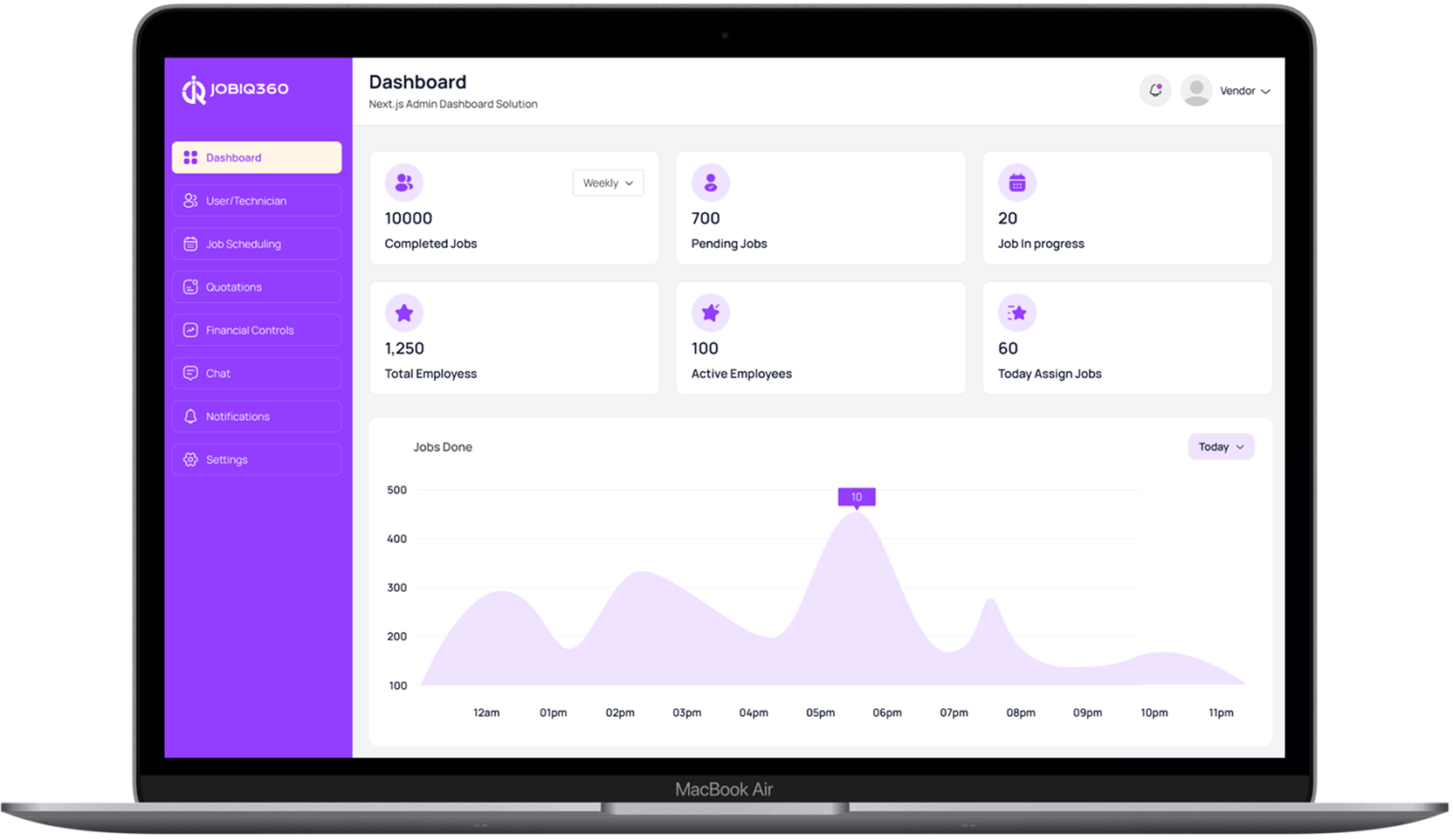
Data driven decisions through real time analytics
Brand Promise
With Jobiq360, every service business has the power to scale like an enterprise without enterprise costs.
How It Works
Business owners simply upload their current customer list and enter the services they offer. Then Jobiq360 takes over. From quoting to scheduling, dispatching, customer communication, payments, reviews, and accounting software syncing, the platform does the heavy lifting so owners can focus on growing the business.
01
For Customers
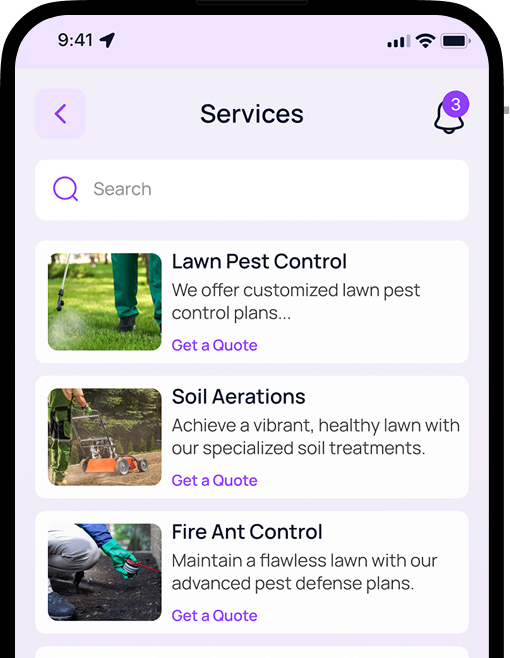
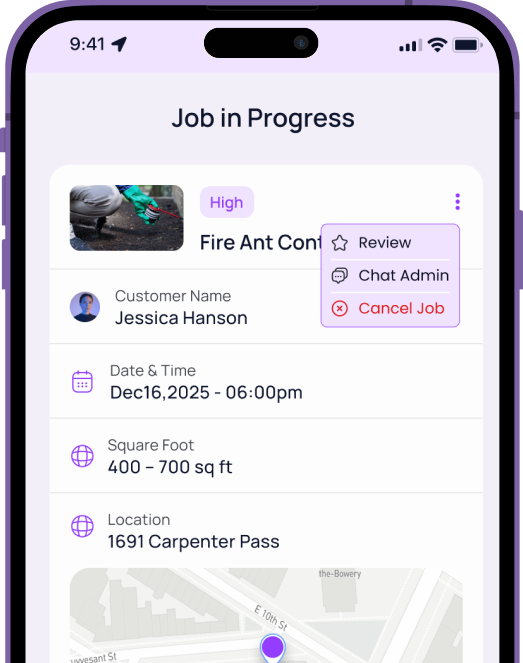
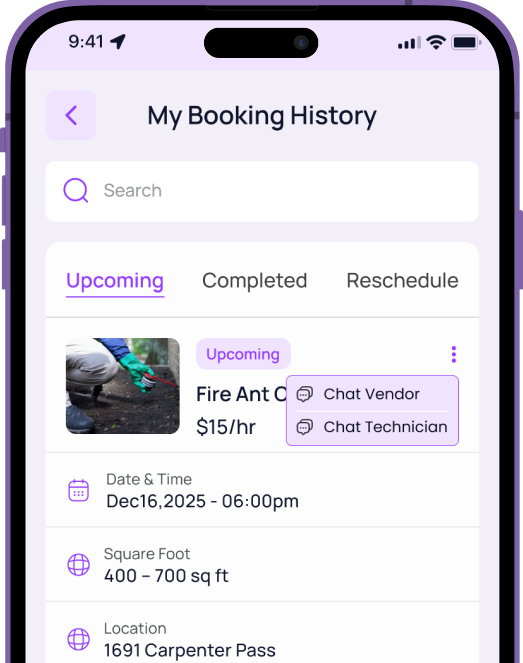
Customers easily request services, receive real-time job updates, pay invoices, and leave Google reviews all inside one simple app that keeps them informed and connected.
02
For Technicians
Technicians get clear job details, optimized routing, in-app communication, time tracking, photos, notes, and the ability to update job status and invoices directly from the field.
03
For Business Owners
Owners can upload customer lists, manage services, generate quotes in minutes, schedule and dispatch intelligently, sync to accounting software, accept payments, track performance, and view real-time analytics running the entire operation from one AI-powered platform
Why Service Companies
Choose Jobiq360

Run your entire business in one
platform
Modern customer app that
competitors don’t offer
Cleaner design, faster setup, and
easier for teams to use
Powerful automation to reduce admin
time
White-label SaaS advantage for
multi-company expansion
Choose Your Growth Path
Flexible plans designed to scale with your business. Start simple, upgrade as you grow.
Good
Essential
Best for solo operators & small teams.
What’s Included
- Scheduling & calendar
- Technician mobile app
- Customer app
- Invoicing & payments
- Job status updates
- Photo & note uploads
- Basic CRM
- Basic reporting
- Standard notifications
- Email support
MOST POPULAR
Better
Professional
Built for growing service teams.
What’s Included
- AI scheduling optimization
- Automatic job assignment
- Google Earth quoting (remote measurements)
- CRM pipeline (lead → prospect → customer)
- Invoice approval workflows
- Timesheet export to QuickBooks / Zoho
- In-app messaging (customer ↔ tech)
- Push notifications, promotions & quick replies
- Revenue & performance analytics
- Priority support
- Free onboarding session
Enterprise
White-label
For agencies, franchises & multi-location service companies.
What’s Included
- Fully branded customer app
- Fully branded technician app
- Custom admin/vendor portal branding
- Multi-location management
- Custom API access
- Advanced automation workflows
- Deep CRM/accounting integrations
- Dedicated account manager
- Quarterly strategy reviews
Frequently Asked Questions
How can I create an account and get started as a service provider or client?
Creating an account is easy. Simply open the website or mobile app and click “Sign Up.” Choose whether you want to register as a Client or a Service Provider, then enter your basic information such as name, email, and phone number, followed by the verification step. Clients can complete their basic profile and immediately start browsing or requesting services, while Service Providers can add their service details, upload any required documents, and submit their profile for approval. Once your account is set up, you can start using the platform right away.
Is there any cost involved in posting a service or job on this platform, or is it completely free for all users to try?
Creating an account is easy. Simply open the website or mobile app and click “Sign Up.” Choose whether you want to register as a Client or a Service Provider, then enter your basic information such as name, email, and phone number, followed by the verification step. Clients can complete their basic profile and immediately start browsing or requesting services, while Service Providers can add their service details, upload any required documents, and submit their profile for approval. Once your account is set up, you can start using the platform right away.
What is the process for hiring a service provider through the app, including searching, comparing, booking, and making secure payments?
Creating an account is easy. Simply open the website or mobile app and click “Sign Up.” Choose whether you want to register as a Client or a Service Provider, then enter your basic information such as name, email, and phone number, followed by the verification step. Clients can complete their basic profile and immediately start browsing or requesting services, while Service Providers can add their service details, upload any required documents, and submit their profile for approval. Once your account is set up, you can start using the platform right away.
How does the app ensure that the service providers are reliable and verified through background checks and user reviews?
Creating an account is easy. Simply open the website or mobile app and click “Sign Up.” Choose whether you want to register as a Client or a Service Provider, then enter your basic information such as name, email, and phone number, followed by the verification step. Clients can complete their basic profile and immediately start browsing or requesting services, while Service Providers can add their service details, upload any required documents, and submit their profile for approval. Once your account is set up, you can start using the platform right away.
Can I promote my service listing to reach more potential clients through featured placements and targeted in-app advertising options?
Creating an account is easy. Simply open the website or mobile app and click “Sign Up.” Choose whether you want to register as a Client or a Service Provider, then enter your basic information such as name, email, and phone number, followed by the verification step. Clients can complete their basic profile and immediately start browsing or requesting services, while Service Providers can add their service details, upload any required documents, and submit their profile for approval. Once your account is set up, you can start using the platform right away.
What should I do if I encounter a dispute or issue with a provider or client during the service process?
Creating an account is easy. Simply open the website or mobile app and click “Sign Up.” Choose whether you want to register as a Client or a Service Provider, then enter your basic information such as name, email, and phone number, followed by the verification step. Clients can complete their basic profile and immediately start browsing or requesting services, while Service Providers can add their service details, upload any required documents, and submit their profile for approval. Once your account is set up, you can start using the platform right away.
Is it possible to make changes to or remove my service listing after it has been posted, including updating details and availability?
Creating an account is easy. Simply open the website or mobile app and click “Sign Up.” Choose whether you want to register as a Client or a Service Provider, then enter your basic information such as name, email, and phone number, followed by the verification step. Clients can complete their basic profile and immediately start browsing or requesting services, while Service Providers can add their service details, upload any required documents, and submit their profile for approval. Once your account is set up, you can start using the platform right away.
Which devices and platforms is the app available on for download and use, including iOS and Android mobile devices?
Creating an account is easy. Simply open the website or mobile app and click “Sign Up.” Choose whether you want to register as a Client or a Service Provider, then enter your basic information such as name, email, and phone number, followed by the verification step. Clients can complete their basic profile and immediately start browsing or requesting services, while Service Providers can add their service details, upload any required documents, and submit their profile for approval. Once your account is set up, you can start using the platform right away.
Let’s Get in Touch

Get Fast, Reliable
Home Services
Anytime, Anywhere
Take the stress out of home maintenance. Whether it’s gardening, plumbing, electrical work, AC repair, or cleaning our verified professionals are always ready to help. Book a service in just a few taps and enjoy a smooth, transparent, and comfortable experience from start to finish.